Job Autopilot Join the waitlist
Easy Apply, actually easy

50 quality job applications in an evening.

It finds the jobs you fit, fills the forms, and remembers every answer you give it. You review and send; it does the typing.

Free during the beta. No spam, one email when it's ready.

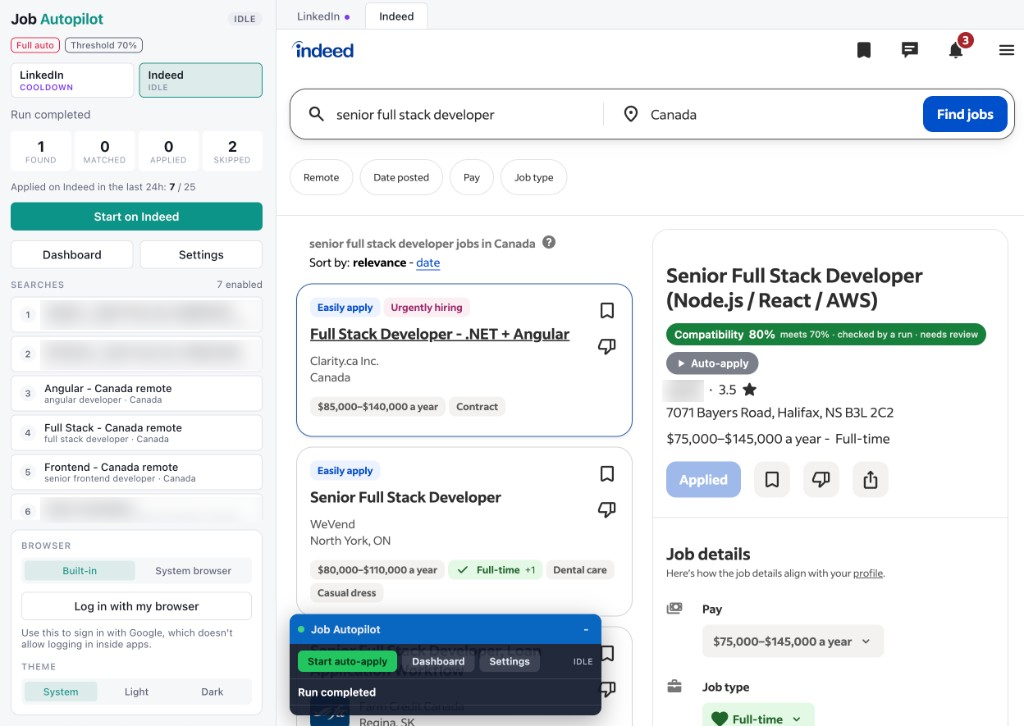
Job Autopilot running next to Indeed: a run summary and saved searches on the left, a job scored 80% compatible and marked for auto-apply on the right

Operations Coordinator

Compatibility 84% meets 70% Auto-apply

Northwind Logistics · Toronto, ON · Hybrid

  • Title match 100%
  • Skills matched: scheduling, Excel, vendor management
“Every job gets a score with reasons. You decide the bar; it only applies above it.”

A compatibility threshold you set keeps weak matches out of your applications.

Features

Everything between "found a job" and "applied".

Screens from the app as it runs today. Personal details are blurred.

01

Every job scored, every skip explained

Each posting gets a compatibility score against your profile. Jobs below your bar are skipped with the reason written next to them, so you can tune instead of guess.

  • Title, skills, years and location in one score
  • Excluded words, such as "junior", skip a job outright
  • Search, filter and export everything to CSV
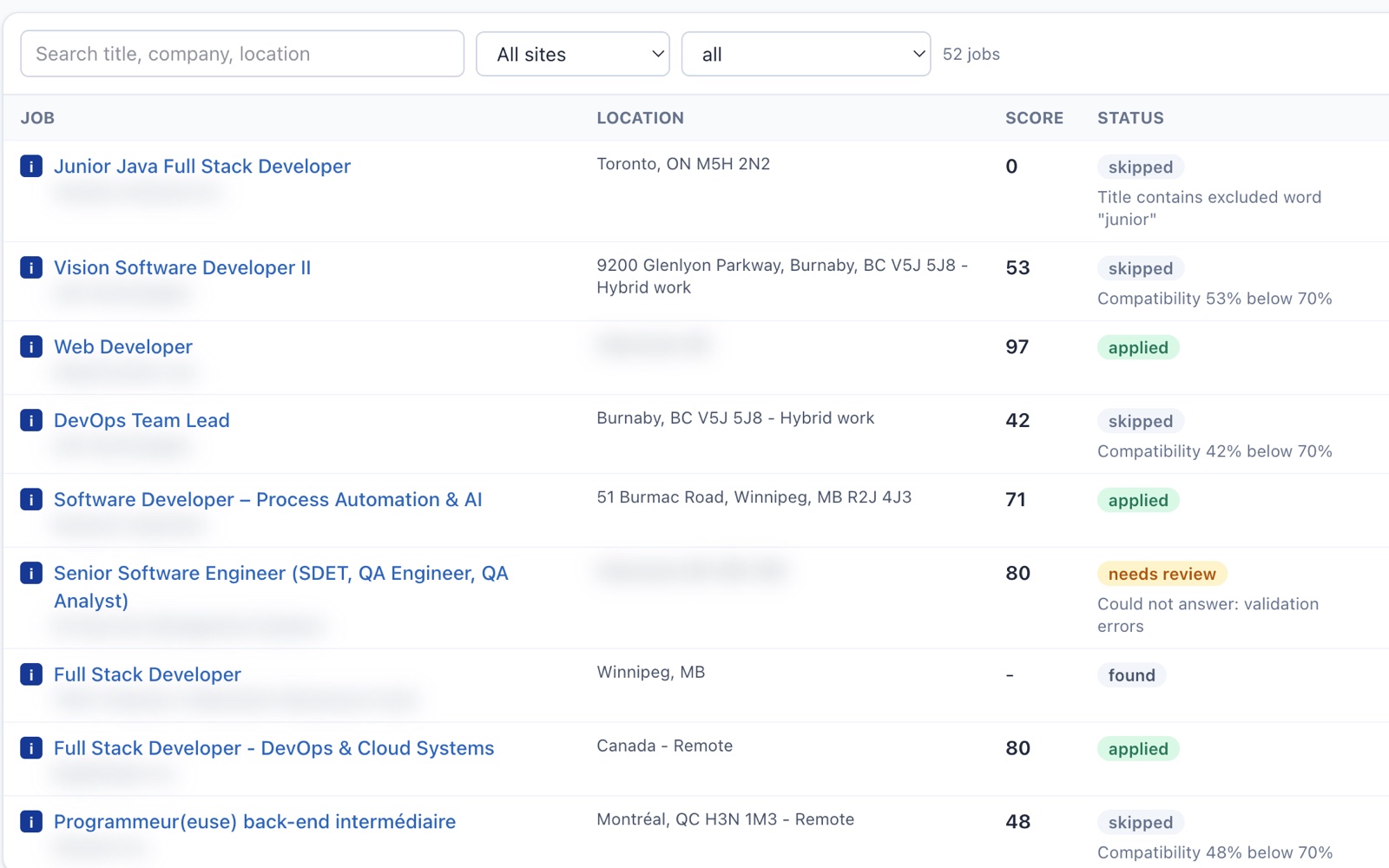
The jobs table: each job with its location, a score out of 100, its status and the reason it was skipped or applied to.
02

Searches that run themselves

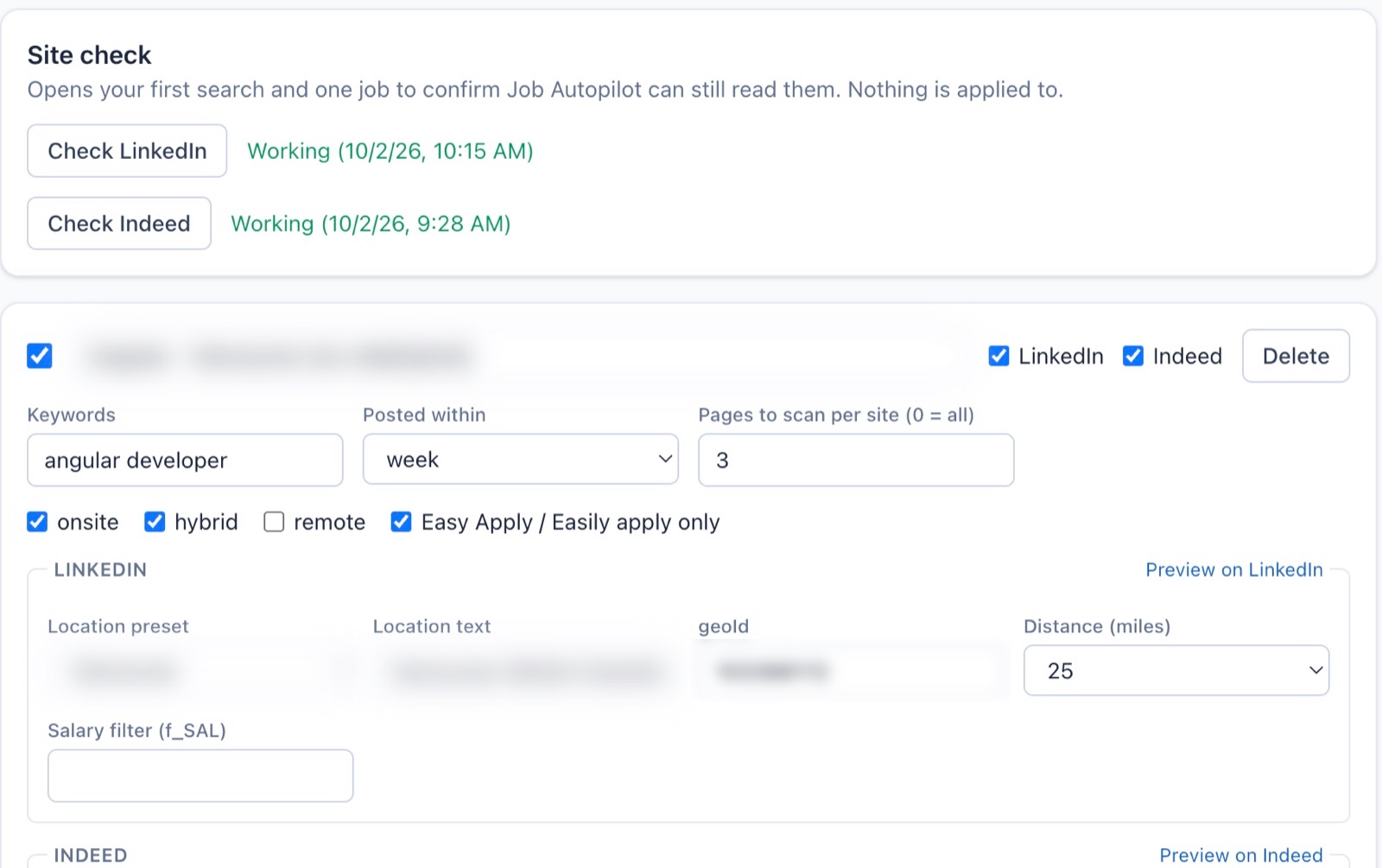
Save the searches you'd type every morning, for LinkedIn and Indeed at once. A site check confirms both sites can still be read before you rely on them.

  • Keywords, location, radius and date posted
  • On-site, hybrid, remote and Easy Apply filters
  • Paste a LinkedIn search URL to import it
Search settings with keywords, posted-within, LinkedIn and Indeed location options, and a site check that reports both sites working.
03

Your rules, your pace

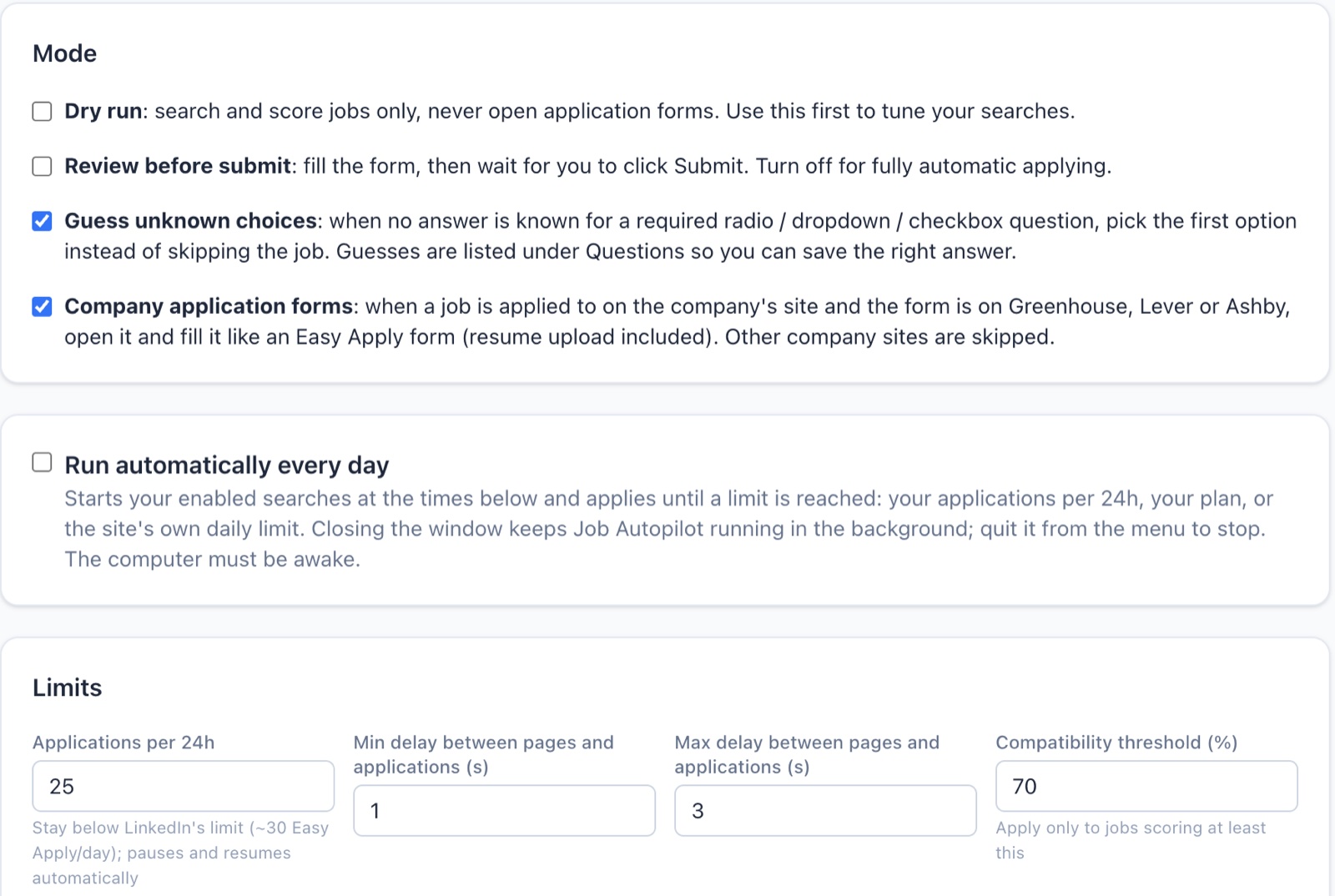
Start with a dry run that only scores jobs. Then review each form before it goes, or let it submit on its own within the limits you set.

  • Daily schedule that runs in the background
  • Applications per day and delays between them
  • Company forms on Greenhouse, Lever and Ashby
Automation settings: dry run, review before submit, guessing unknown choices, company application forms, a daily schedule, and limits with a 70% compatibility threshold.
04

Answers once, remembers forever

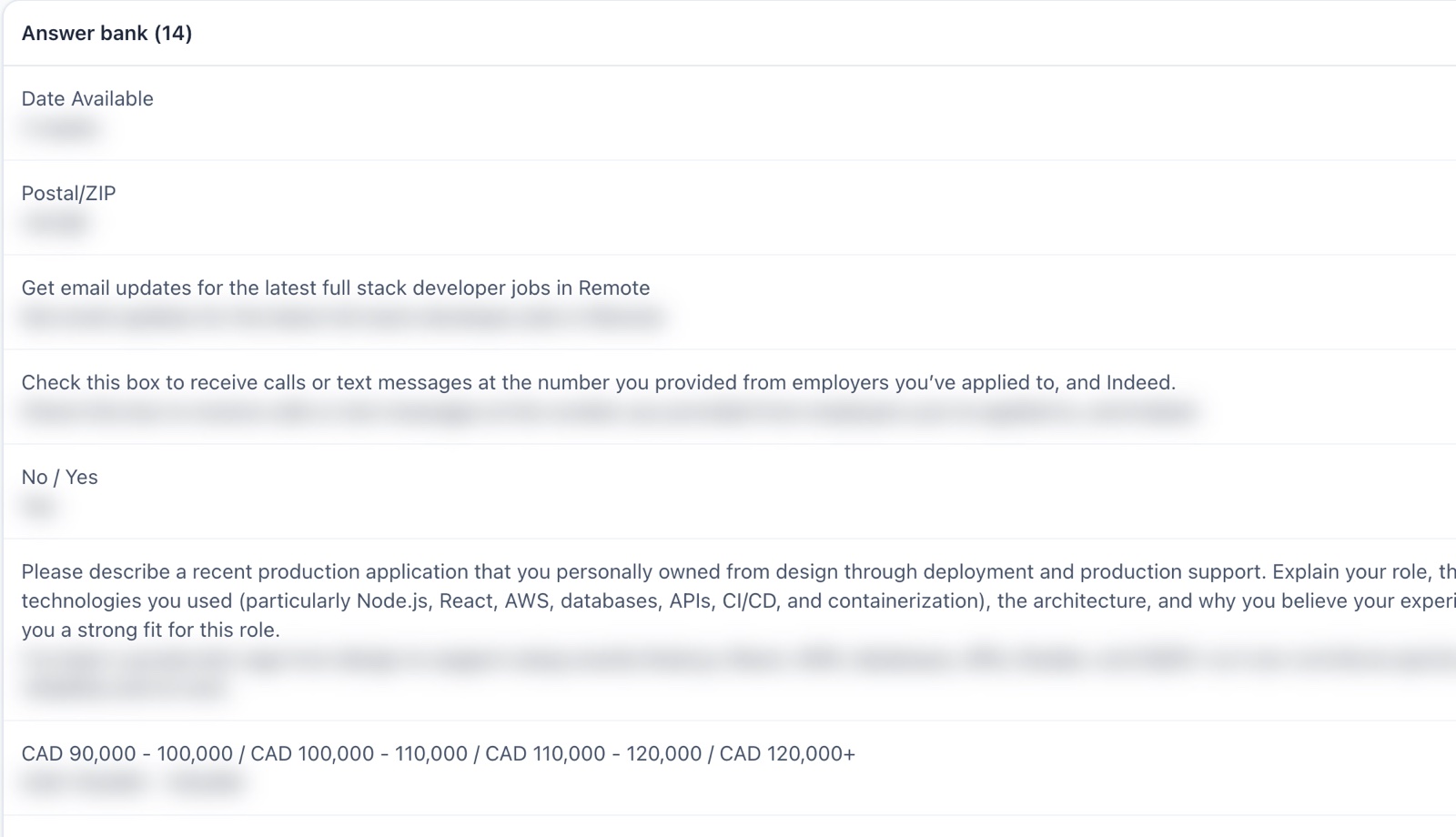
Screening questions it can't answer are collected for you. Answer them once and every later form fills them in, including the long "describe a project" ones.

  • Answer bank you can edit or delete
  • Optional AI drafts from your own profile
  • Work authorization is never guessed
The answer bank: screening questions such as date available and expected salary, each with a saved answer (blurred).
05

Tailored for the jobs that matter

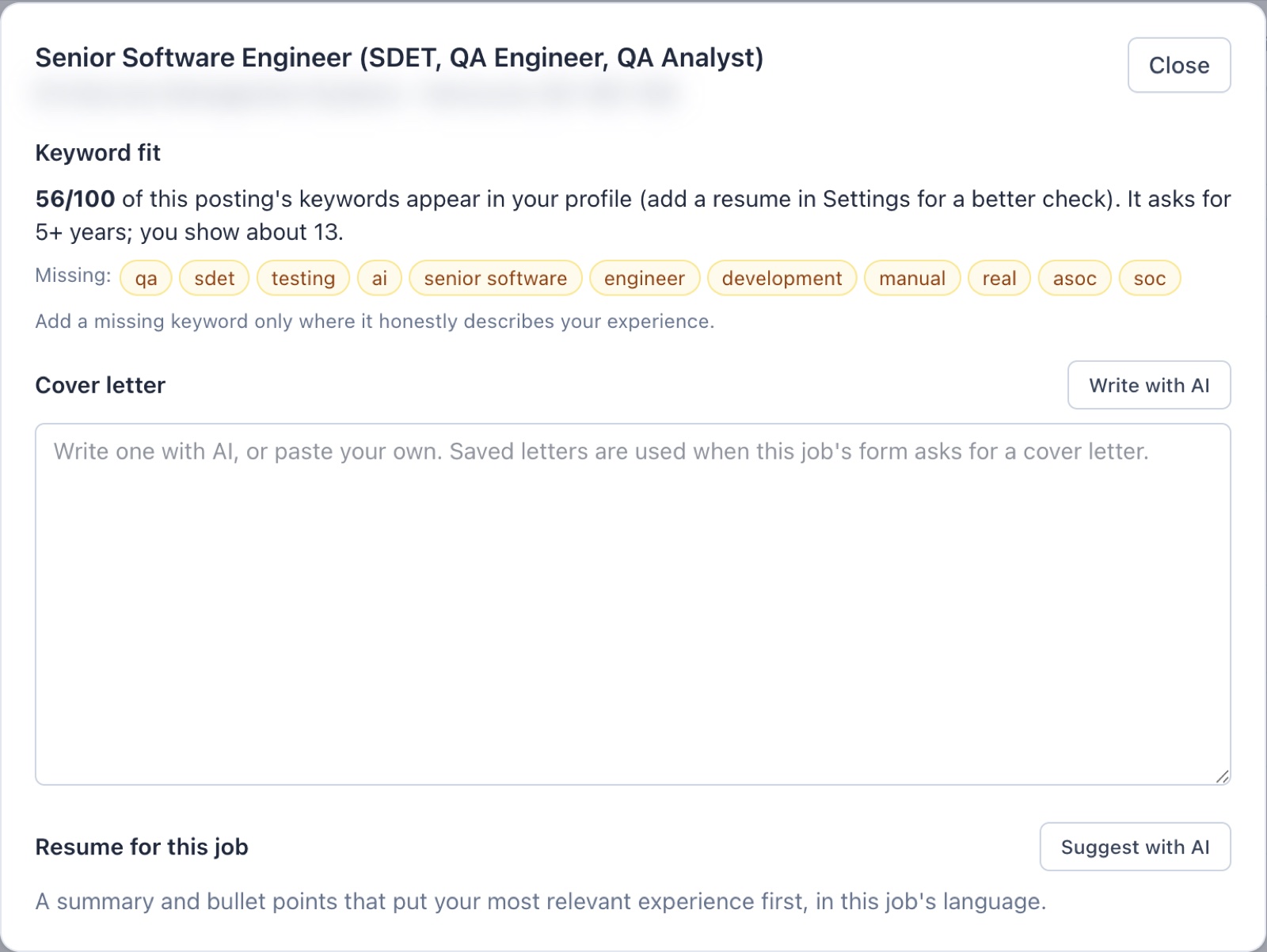
See which of a posting's keywords your profile is missing, then write a cover letter or a resume summary for that one job.

  • Keyword fit with the missing terms listed
  • Cover letters used when the form asks for one
  • Add a keyword only where it's true for you
The tailor panel for one job: keyword fit of 56 out of 100 with missing keywords, a cover letter box and a resume suggestion.
06

Every application, and what came of it

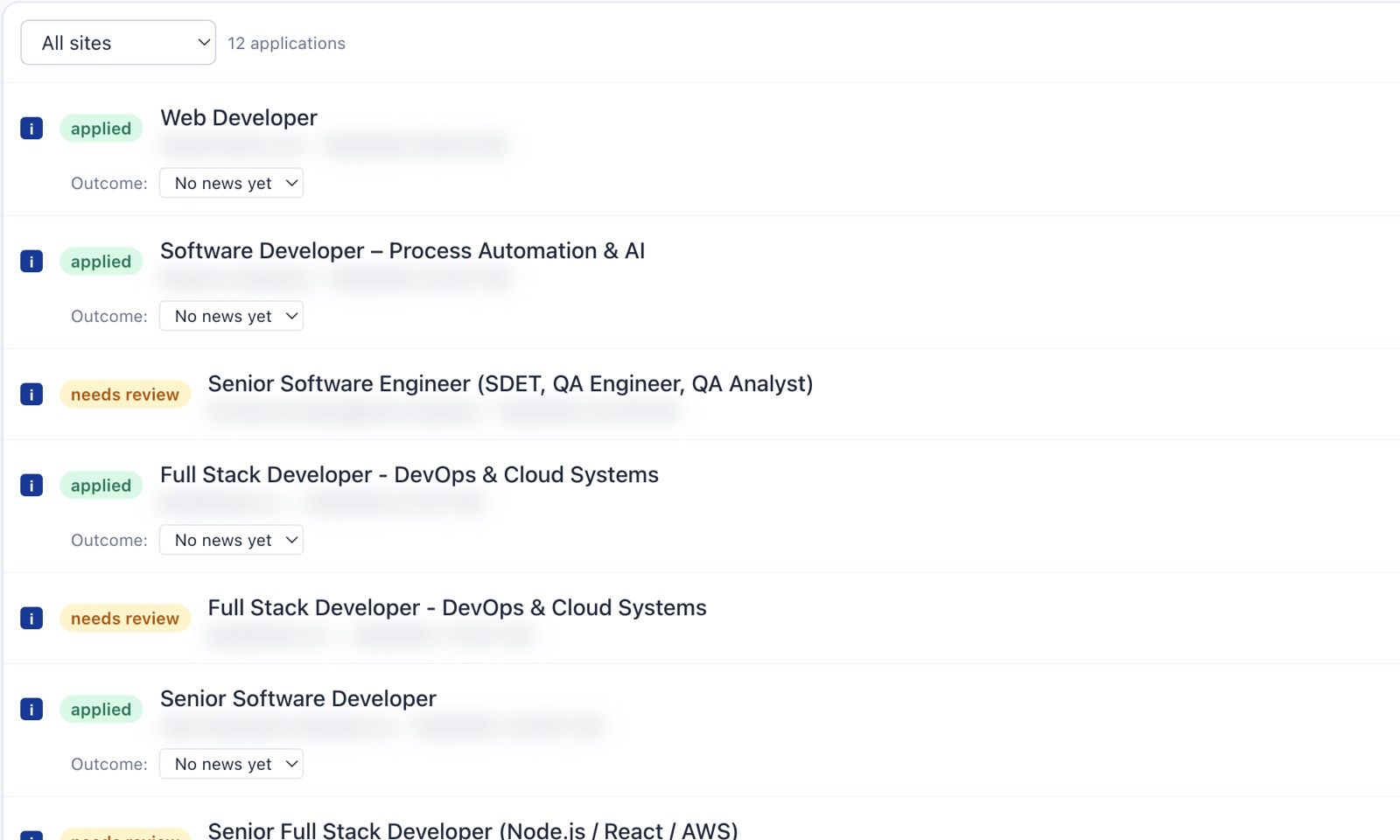
Each application is logged with the answers it sent. Mark replies, interviews and offers as they come in, and see how many applications turn into interviews.

  • Needs-review list for forms it couldn't finish
  • Outcome tracking from reply to offer
  • Profile and history stay on your computer
The applications list: applied and needs-review entries with an outcome picker for each.

Reclaim your evenings.

Spend twenty minutes over tea setting up your profile and searches, then let it handle the repetitive data entry.

Fit first

Each posting is scored against your resume: title, skills, location, years asked. Weak matches are skipped, so recruiters see fewer, better applications from you.

Your browser, your logins

It runs on your computer inside your own LinkedIn and Indeed sessions. Your password never goes to us, and your job history stays on your device.

Asks once, remembers

When a form asks something it can't answer, it pauses and highlights the question. Answer it once and every later application fills it in.

You stay in control

Review each application before it's sent, or let it submit the ones you fit. Human checks are always handed to you, never bypassed.

Founder pricing

Beta testers who reserve now keep this price for as long as they're searching.

$9first month

then $19/month, cancel any time, or $49 until you're hired (3 months)

Reserve founder price

Questions

Is this a mass-apply bot?

No. It applies only where your profile fits the posting, at a human pace, with daily limits. You can review every application before it's sent.

Which sites does it support?

LinkedIn Easy Apply and Indeed "Easily apply", plus company application forms on Greenhouse, Lever and Ashby when a job links to them.

Does it work outside tech?

Yes. It reads your resume to learn your skills and titles, whatever your field: nursing, operations, sales, trades, teaching and more.

Will my account get banned?

It works inside your own browser session with conservative limits and never solves captchas for you. You are responsible for what you submit, and the defaults keep you in the loop.

What do I need to run it?

A Mac, Linux or Windows computer. It's a desktop app (a Chrome extension is also available) and works with the LinkedIn and Indeed accounts you already have.